

Runner in your pocket.
Runner, on iPhone and Android. Tell us what you'd do first.
Talk to your team out loud, approve what they made with one thumb, and check the day's number between customers.
Help shape itOn any phone: put Runner on your home screen from Safari or Chrome, with approval alerts you turn on. How it works
 MisoInstagram lead · rewriting a post
 Pumpkin oat latte is back. Saturday mornings at Harbor Lane, from 7.ApproveChangeMake the second one about the new oat milk
 Rewriting post 2 of 3
Designed for one thumb
Today, Approvals and Customers, each a thumb away.
- 8:01Harbor Lane Coffee$4,820Sales this week2 need youWhile you were away
 Miso drafted three posts for the fall menu
 Sleuth listed 14 cafés worth a look
 Zip heard back from Pier 9 BakeryTodayTeamApprovals2Customers
Today. One number, what needs you, and what the team did overnight. - 8:03Approvals2 yours to decideSunnyEmail lead · Messages customersSend Friday's newsletter about the fall menuOnly to people who said yes to your emailsOne idea and one next step: book a tastingNot nowApprovePause the whole teamThree posts for the fall menuTodayTeamApprovals2Customers
Approvals. The reason sits on the card. Face ID or a fingerprint before anything that messages customers or spends money. - 8:05Search customersP9Pier 9 BakeryWholesale · Seattle
- Found
- On Sleuth's list in March
- Worked
- Zip wrote first. They asked for a sample box
- Now
- Orders beans every two weeks
CallEmailAsk the teamTodayTeamApprovals2CustomersCustomers. How you found them, who worked them, and where they are now, in three lines.
Live on your Lock Screen
On iPhone, a post that's about to go out, or a teammate you're talking to, stays on your Lock Screen and in the Dynamic Island while it happens.
A post about to go out
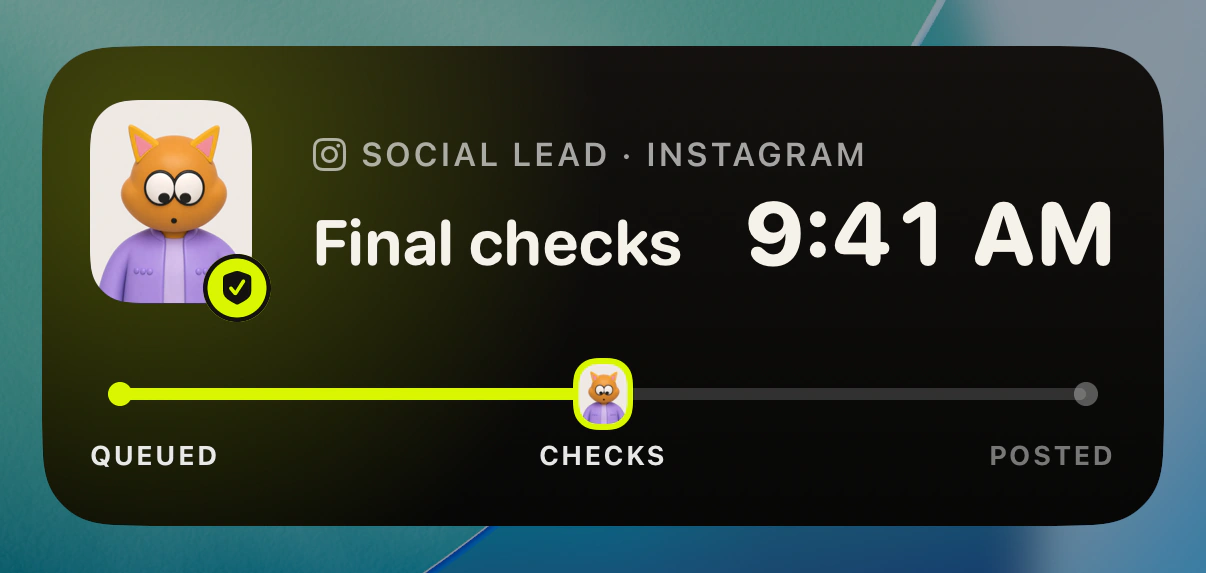
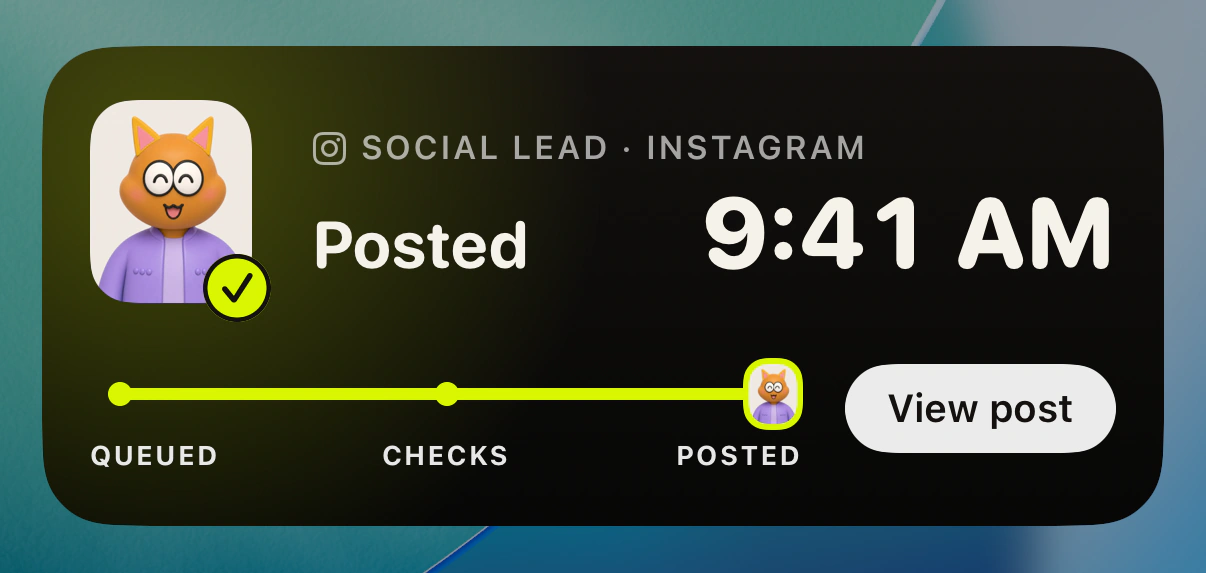
Riding a track from Queued to Posted, your Social lead counts down to the send, shows the final checks, and hands you View post once it's out. Tap Hold and that one post stays back until you release it.
- Queued
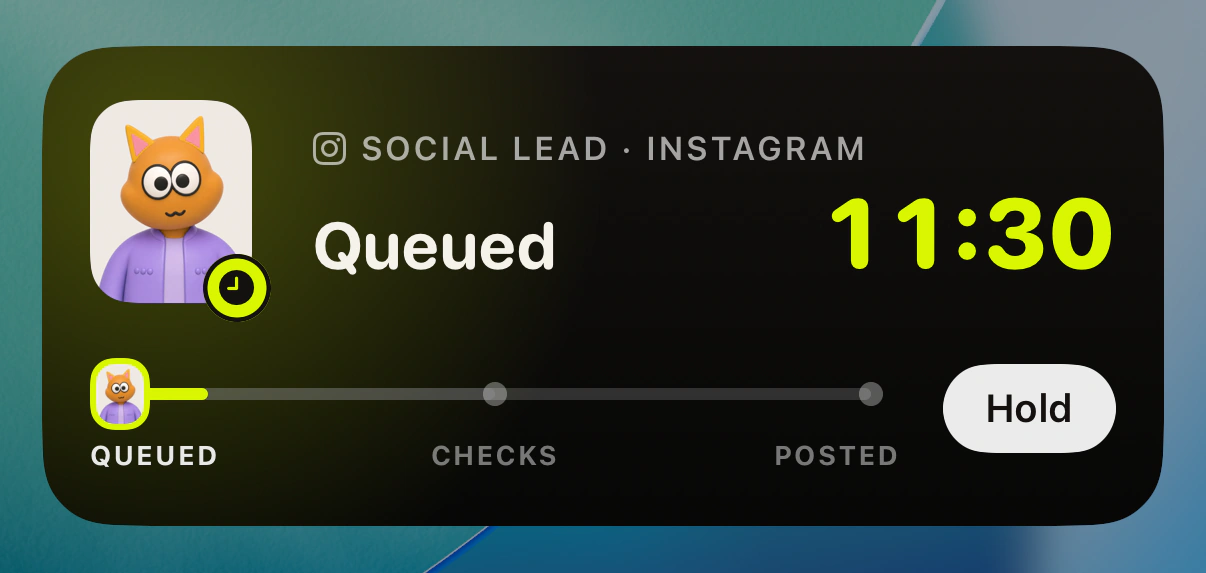
- Final checks
- Posted
A conversation with a teammate
While you talk, your teammate's face, whether they're listening or answering, and how long you've talked stay in view, with End one tap away.
In the Dynamic Island 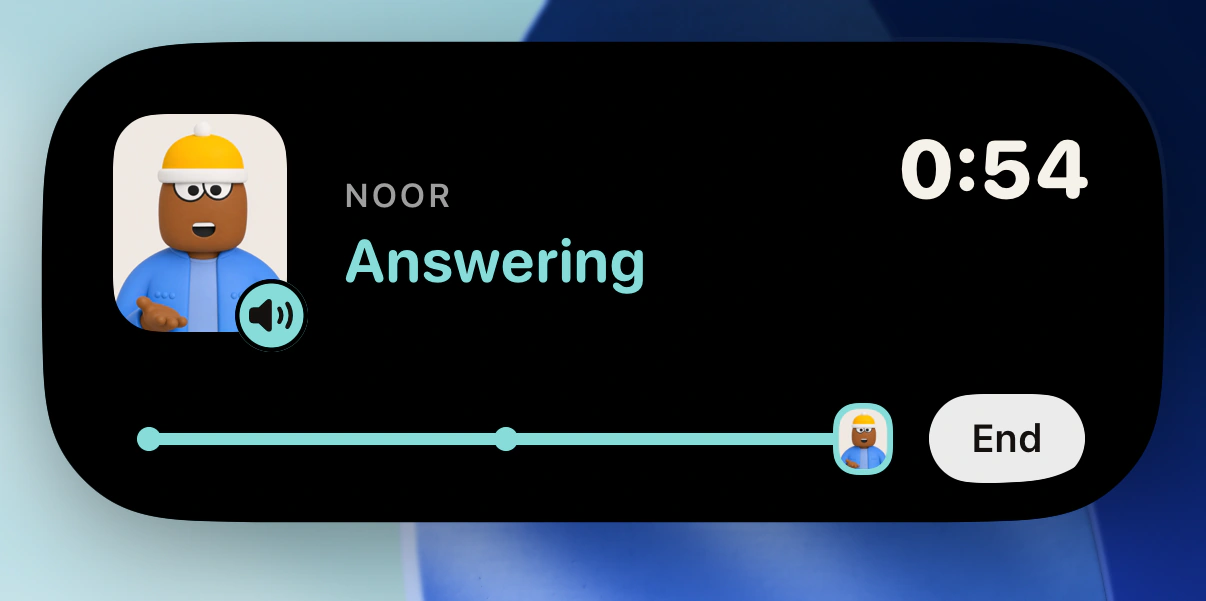
On the Lock Screen 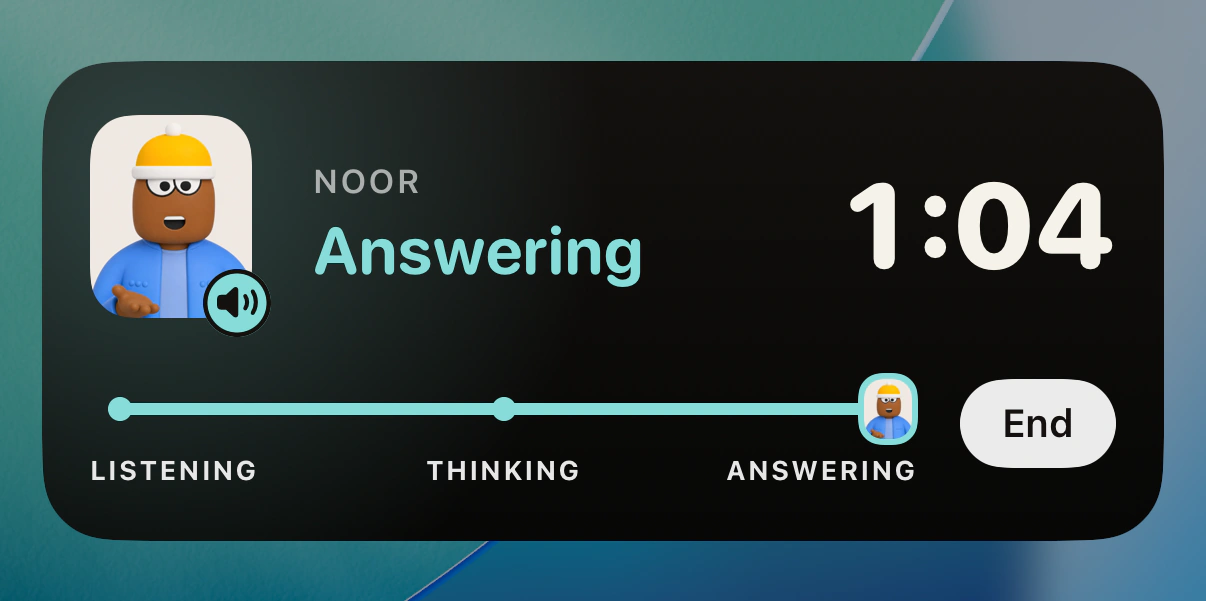
What the Lock Screen shows
- A role and the channel, or a teammate, the step and the time. Never the words of a post or a customer's name.
- No Approve button. Decisions stay in the app, behind its checks.
- Hold stops that one post and nothing else. Release it in the app, and if its time passed while it was held, pick a new time first.
On your wrist
Runner on Apple Watch and Wear OS, for the three things a wrist can finish between two strides.
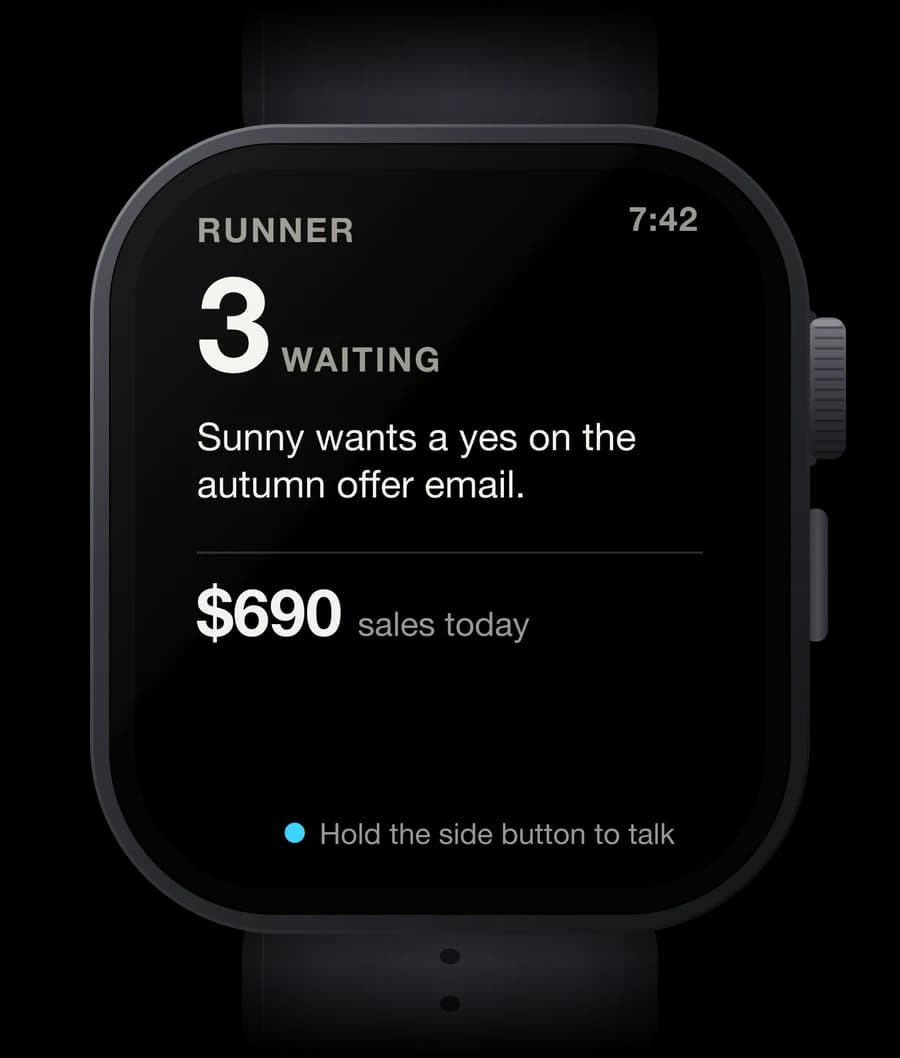
What's waiting
A glance, or a complication on your watch face, shows what needs you and today's number. No customer's name ever shows there.
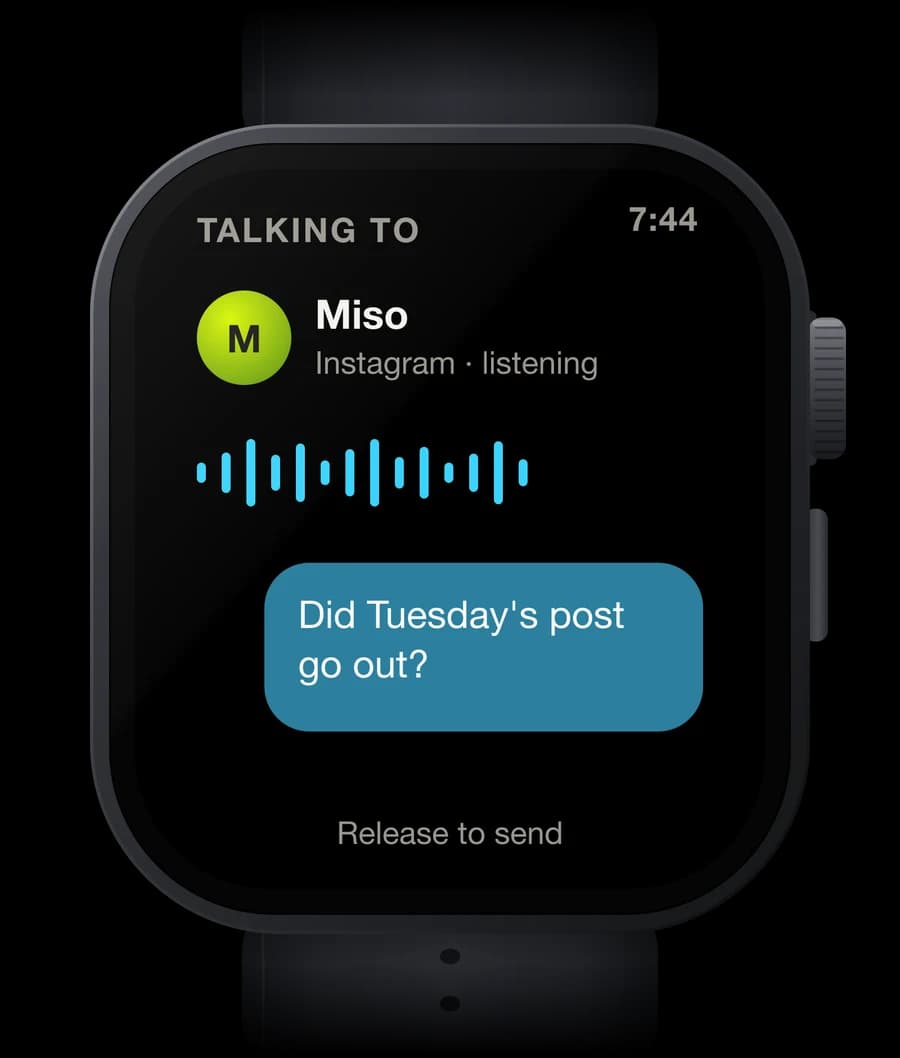
One teammate
Hold to talk to one teammate. The reply comes back on your wrist, to read, or to hear when that teammate has a voice, and the whole exchange is on your phone afterwards.
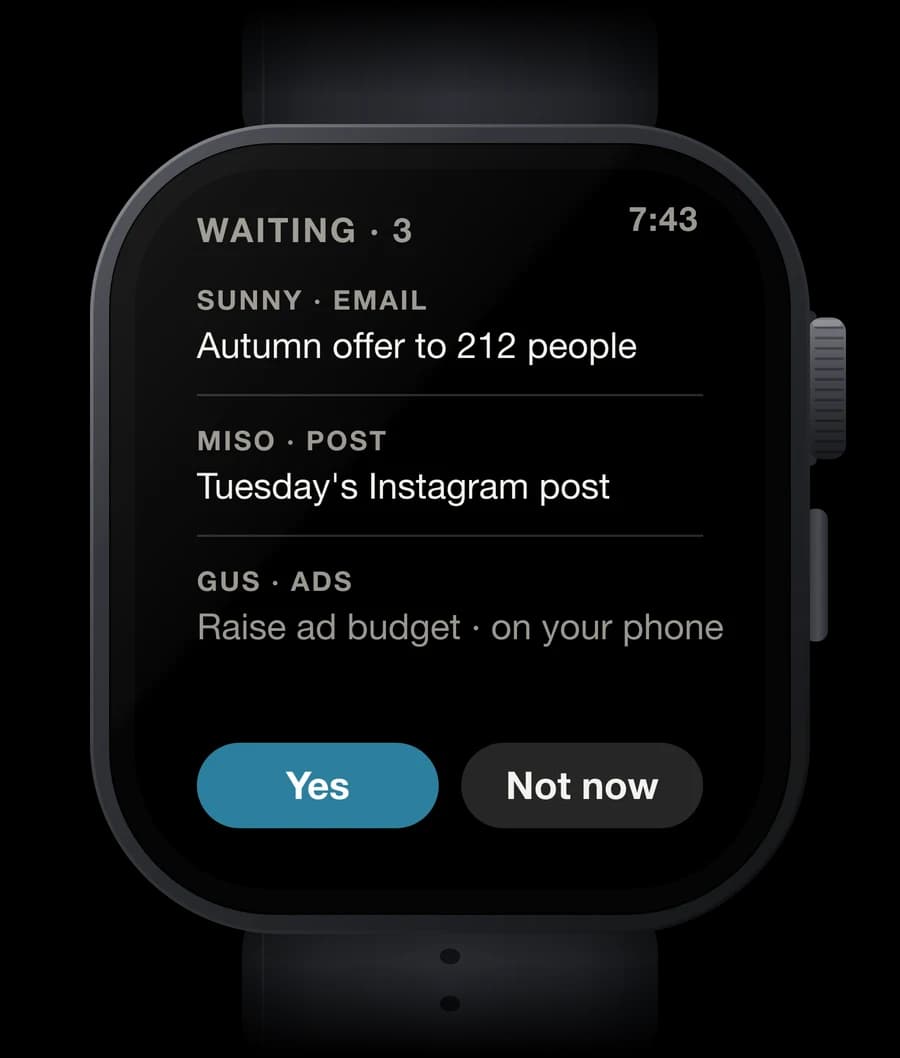
Yes or not now
Answer what's yours to decide with a tap. Anything that spends money or messages customers says Finish on your phone.
What would you do first in the app?
Pick one, add an idea if you have one, and we'll write back.
The Android robot is reproduced or modified from work created and shared by Google and used according to terms described in the Creative Commons 3.0 Attribution License.