On a Monday, two questions decide the week: what is going out, and what will it cost? In most small companies the answers live in different places. Posts sit in a scheduler. Ads sit in a separate ad manager for each network. The budget sits in someone's head.
Once a growth team of AI agents drafts your posts, a third question joins them: who made this one? You should be able to answer all three without opening five tabs.
Runner's content calendar answers all three on one page. The screens below are from Harbor Lane Coffee Roasters, a demo company, so no customer's records appear here.
Posts and ads on the same days
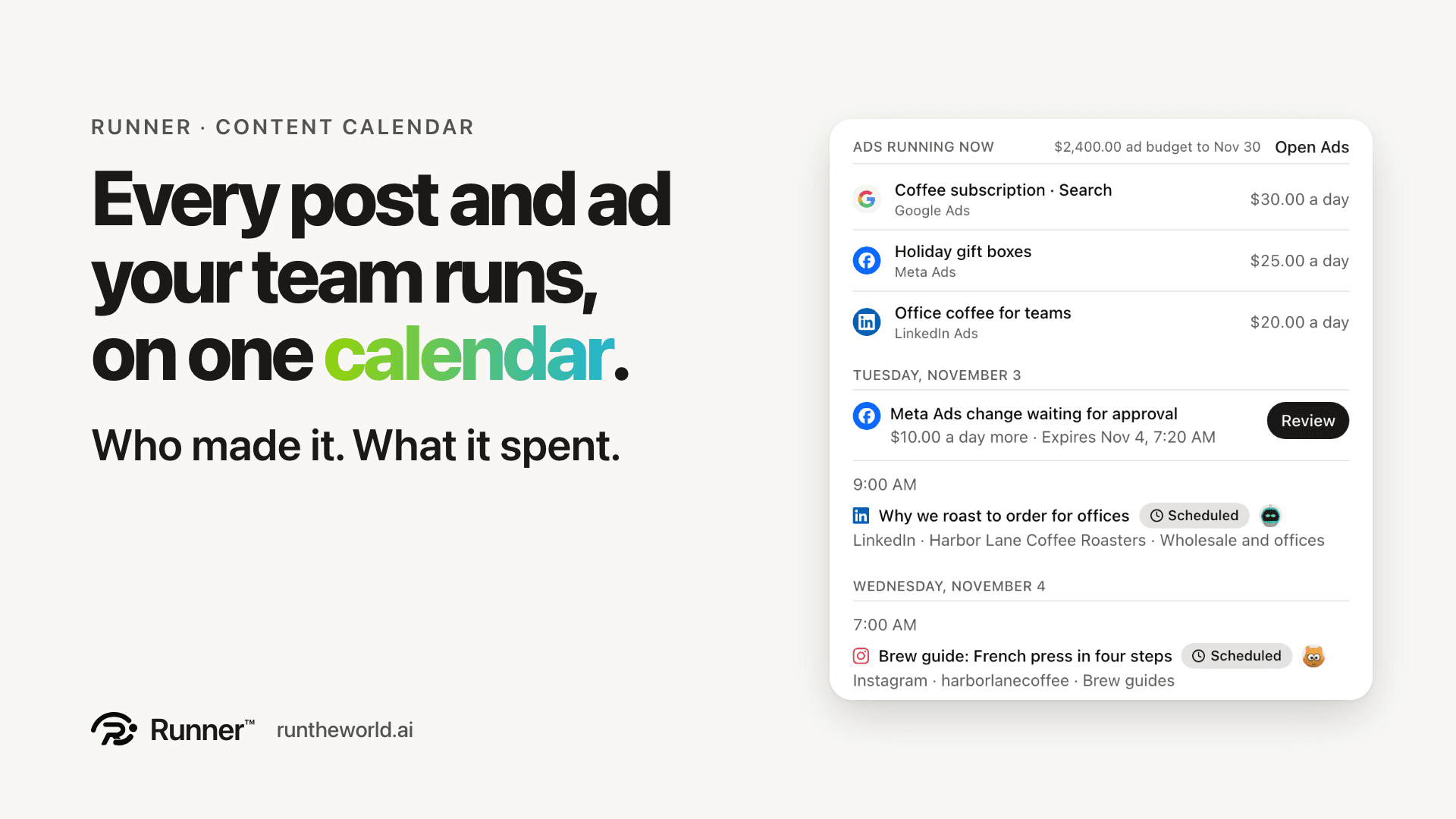
Every ad campaign shows as a bar across the days it runs, with its network's logo and its name. The days come from the ad accounts you connect: Google, Meta, LinkedIn and Reddit. Your posts sit on the same days, so the week reads as one plan.
Above the posts, a list called Ads running shows each live campaign. When your ad budget manages a campaign, the list also shows its daily cap and the day the budget ends. That last day is marked on its date in the calendar.
An ad change waiting for approval sits on today with a Review button. The post you are about to approve and the spend you are about to raise are on the same screen.
See who made each post
When a member of your growth team drafts a post and it is approved, the calendar shows that member's face on the post. You see who made it without having to ask.
Hover any post and a card opens with what matters: where it goes and its state, the time, its opening words, its numbers once it is out, and who scheduled it.
The next 30 days, as a list
List shows the next 30 days as rows, with posts and ads together. Search it, or filter by state and network.
It reads well on a phone, and it is the view to put on screen in a Monday meeting. An ad change waiting for review sits in the same list as the scheduled posts.
Every product on one calendar
If you run more than one product, All products puts every product's posts and ads on one calendar, each row naming its product. Open a post and Runner takes you to that product's calendar, where the post can be moved, approved or cancelled.
Your best time to post, from your own results
Above the calendar, Runner names your best day and hour on each network, from the numbers your own posts got rather than an industry chart. It covers Instagram, LinkedIn and Threads. Harbor Lane's reads: Best on Instagram, Sat 8:00 AM. Best on LinkedIn, Tue 9:00 AM. From your last 44 posts.
Runner waits until a network has enough posts to say something true. The (i) beside the line shows each time's result against your typical post. For Harbor Lane, Instagram's Saturday at 8:00 AM reaches a 7.9% engagement rate against 5.8% typical, and LinkedIn's Tuesday at 9:00 AM reaches 6% against 4.2%. The Instagram and LinkedIn composers offer the same time beside their time field: Use this time.
Take it with you, or show a client
Share gives you two ways to take the calendar out of Runner.
- Create my calendar link makes a private feed for Google, Apple or Outlook calendar. A post you move in Runner moves there on the app's next refresh.
- Create share link makes a read-only page of the next 30 days for a client, with your product's logo.
You can add ad dates to the feed if you want them; amounts never leave Runner, and the client page never carries amounts either. The client page needs no sign-in, ends after 7, 30 or 90 days, and you can turn it off at any time.
Where to find it
The calendar is in every Runner product, under Content. If your posts and your ads still live in different places, sign up for Runner and open it. You can sign up and pay yourself, with no sales call needed.
Give your business a growth team.
Create your account and pick a plan. Your team is built once the plan is paid.