Every brand that posts every day ends up wanting a face. A founder people recognise. A mascot. A grandfather who reviews watches with one raised eyebrow. A recurring character is the cheapest way to make a feed memorable, because people follow people.
It is also the hardest thing to keep steady once AI is making the pictures. By the third video the nose is different, the sunglasses have changed shape, and the linen suit has turned into a blazer. Each take looks fine on its own. Side by side, it is three different men.
Meet Nonno
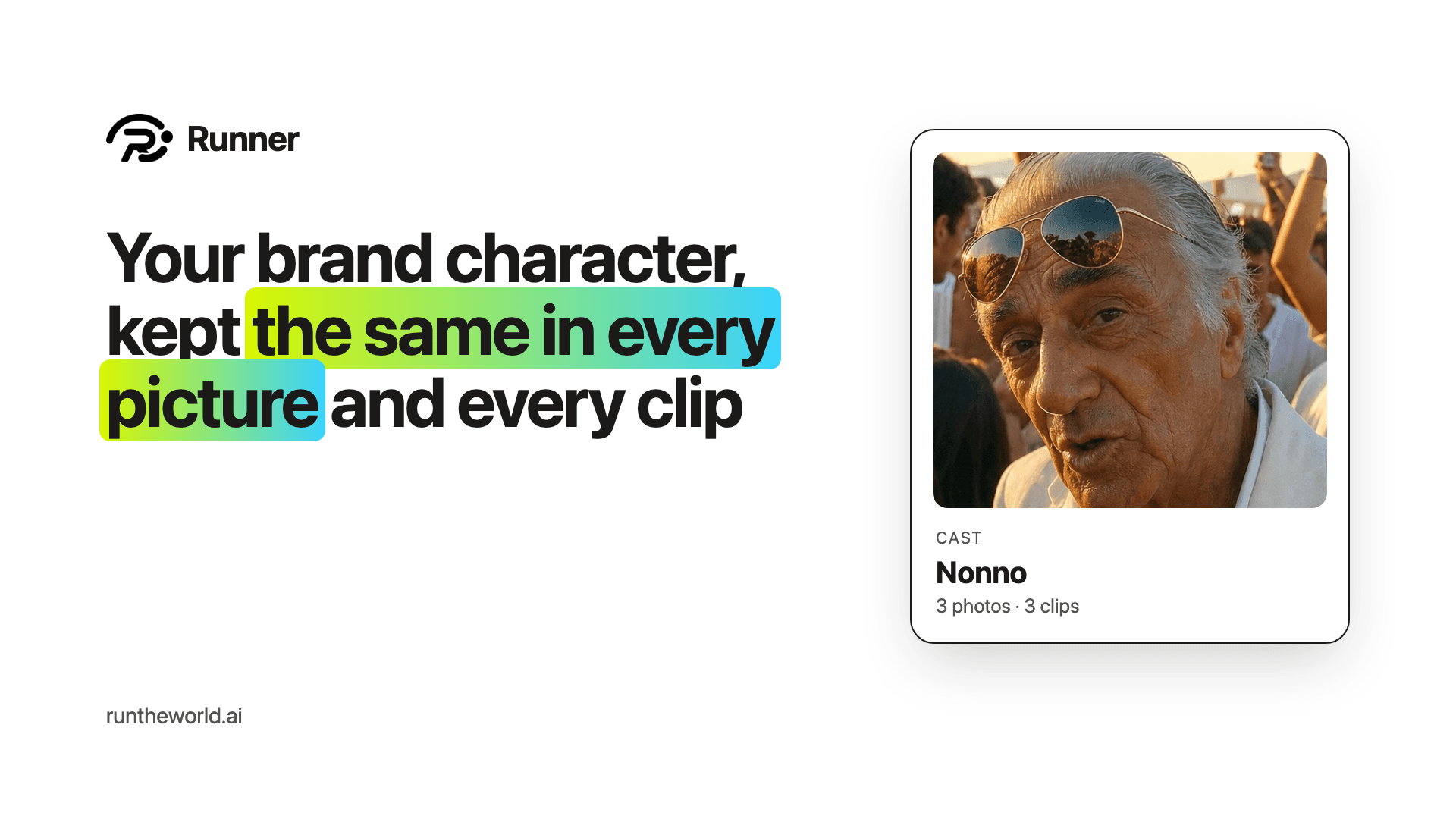
Crown Quorum, the watch-collecting product we run on Runner, films a series with Nonno: an 89-year-old Neapolitan grandfather who is never wrong about a watch. Every episode needs the same tanned face, the same gold aviators, the same cream linen suit and the same slow, deadpan line delivery.
He is also a hard test. A face of 89 has deep lines, a big nose and a tan that changes with the light, and anyone who has watched two episodes notices when one of them is off.
Until this week, all of that lived in someone's notes and a folder of stills dragged into each new render by hand. A character drifts when the only record of them is someone's memory. So we gave characters a home.
One place for who they are
Cast is a new page in Growth DNA, beside your business, your products and your photos. Each character gets one sheet: who they are, what never changes about them, what they wear, how they talk, and what must never happen to them on screen.
Under the words go up to four photos and up to six clips. The first photo is the face everything else is matched to. Pick them from your library, or upload them straight from your computer. A product can keep a cast of up to eight.
Clips teach how they move
A photo holds a face. It cannot hold a walk, the way someone turns to the camera, or how their mouth moves around a line. Video models that take reference clips can, so a character's clips are part of their sheet too.
You set the order. When a new clip is made, Runner draws on the character's photos and then their clips, in that order, for as long as they fit what the model will take.
Tick a box, keep a face
In Content Studio, every product with a cast now sees a line for each character: Draw on Nonno. Tick it, write what should happen, and generate.
A picture draws on his face. A clip draws on his photos and his clips. Either way, what never changes about him goes into the prompt after your own words, so the model is told and shown at once. The same tick is on every shot of a storyboard, so a whole film can keep one lead.
Your growth team uses them too
Runner's growth team writes posts and reels for you every day, and now it knows your cast. A Reels plan names Nonno exactly and keeps his wardrobe and voice. When a post's picture describes him, his look and clothes go into it on every model.
His face goes along only if you have allowed photos on the team's drafts. Nothing is sent to a model because a character exists. It is sent because you ticked it, or because you said the team may.
Nothing is sent to a model because a character exists.
Built for characters you made
Uploads on the Cast page are for characters made with AI, and they are labelled that way. A real person belongs on Your photos, where their consent is recorded before their face is used anywhere.
Nonno's three photos and three clips took a few minutes to add. The next Crown Quorum episode starts from the same man.
Cast is live now for every product on Runner. Build your team (opens in a new tab). Plans start at $49 a month, with a 14-day money-back guarantee.
Give your business a growth team.
Create your account and pick a plan. Your team is built once the plan is paid.