

Business cards
Snap a business card. Get a contact.
Photograph the cards you've collected, up to 200 at a time. Runner reads each one, and you check it before it's saved.

 Add from business cards3
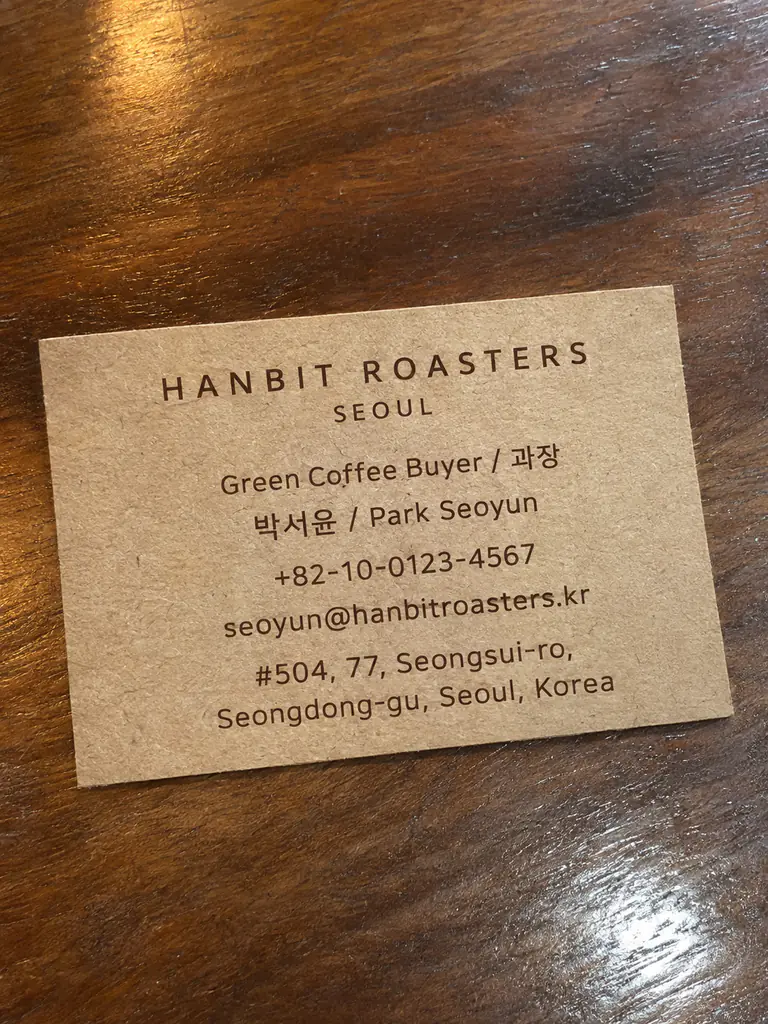
Seoyun Park · Green Coffee Buyer / 과장 · HANBIT ROASTERS · seoyun@hanbitroasters.kr
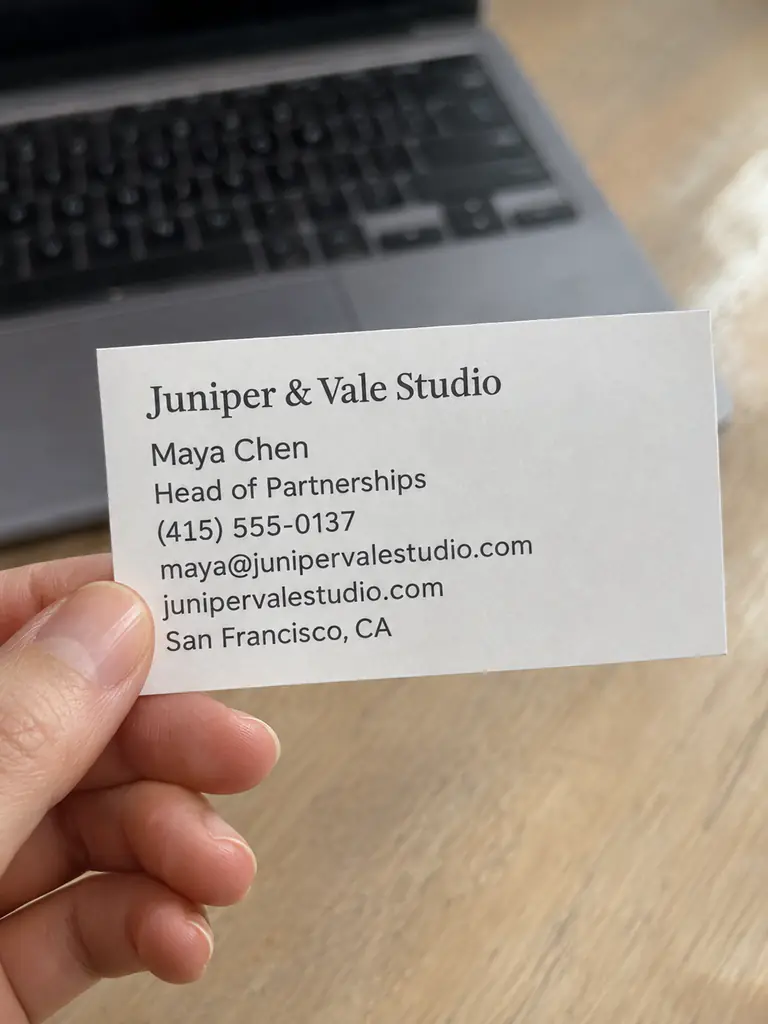
Maya Chen · Head of Partnerships · Juniper & Vale Studio · maya@junipervalestudio.com
Daniel Okafor · Customs & Compliance Manager · TIDEMARK FREIGHT · d.okafor@tidemarkfreight.com
Snap, check, add
- 1 of 3
Snap
Take photos with your phone's camera, choose ones you already have, or share a Google Drive folder of them. Up to 200 at a time.
- 2 of 3
Check
Each card becomes one line. Anything wrong? Fix it with Edit before it's saved.
- 3 of 3
Add
Press Add and they're contacts. Added one by mistake? Undo takes the new ones back.
Photos like these work
Three cards photographed the way people really take them, each beside what Runner read from it.
Example cards, made up for this page. The photos are AI-generated.
AI-generatedOn a café table Runner readSeoyun Park박서윤
Green Coffee Buyer / 과장 · HANBIT ROASTERS
- seoyun@hanbitroasters.kr
- Phone
- +82 10 0123 4567 · South Korea
- Note
- #504, 77, Seongsui-ro, Seongdong-gu, Seoul, Korea
AI-generatedIn a hand, over a laptop Runner readMaya Chen
Head of Partnerships · Juniper & Vale Studio
- maya@junipervalestudio.com
- Phone
- +1 415 555 0137 · United StatesPrinted (415) 555-0137
- Note
- junipervalestudio.com · San Francisco, CA
AI-generatedOn an event table, in dim light Runner readDaniel Okafor
Customs & Compliance Manager · TIDEMARK FREIGHT
- d.okafor@tidemarkfreight.com
- Phone
- +44 20 7946 0958 · United Kingdom
- Note
- London
What lands in Runner
No duplicates
A card that's already in Runner says so, and Add updates that contact. An address that unsubscribed is left out.
The whole card, kept
The address, the website and the name as printed go on the contact as a note. A new contact is marked as met in person.
Said yes? Tick one box
“Everyone here said yes to hearing from us” starts unticked. Tick it when they did, and Runner records their consent, with who and when.
The photo isn't kept
Runner reads the card and keeps the contact, not the picture.


Questions about business cards
Does a business card mean I can email them?
Only if they said yes. A card on its own isn't permission, so the box starts unticked. Tick it when they agreed, and Runner records it.
What kind of photo works?
One card per photo, taken the way you'd normally take it: on a table, in your hand, at an angle. If a card can't be read, Runner says so and you can take it again.
What if a card has no email?
Runner tells you, and you add one with Edit. A card becomes a contact by its email address.
Can it read cards from other countries?
Yes. Phone numbers come back in international format, with their country. A name printed in two scripts keeps both: the Latin name on the contact, the other in its note.